Custom apps made for one person

Like a personal trainer, but for the everyday stuff.

I build small apps to order: for your computer, your browser or your phone. For one person or a small business. You tell me what's wearing you down. I build the tool that handles it.

See what I've built →

Off-the-shelf software is made for everyone. Which means it's made for no one in particular.

You look for software for your specific problem and find two kinds of answers. Either a do-everything suite with a hundred features, a subscription and an account you don't want. Or nothing at all, because your need is too specific. So you're left with a spreadsheet, manual copying and doing the same thing every week.

You could build something yourself. AI tools make that possible. But do you really want to spend your evenings learning the terminal, comparing plans and fixing bugs?

You can hand it off. Just like painting your flat.

Small apps for specific jobs

For your computer

  • Order in your photos, documents and files: sorting, renaming, finding duplicates.
  • Turning the spreadsheet you've been lost in for years into a simple app.
  • Automating things you do by hand every week: summaries, reports, preparing files.
In your browser

  • A household budget or family planner, available on any device.
  • A simple dashboard for a small business: orders, clients, deadlines.
  • Forms, surveys and lists for your clients.

On your phone

  • A habit tracker, journal or morning checklist in your own words.
  • A medication and appointment list for a parent.
  • Support between coaching sessions: goals, a daily check-in and a summary before you meet.

Your own idea. If you do something regularly and it wears you down, it can probably become an app. Let's talk.

I built it for myself first

The best personal apps start with a personal need. Mine did too.

Zin

desktop app (macOS)

Turns a folder of photos into a zine (PDF), a print-ready version, a PowerPoint presentation and a YouTube video. The layout builds itself; you add captions and text pages and adjust the order. The same app also runs my online photo gallery. See the result here.

Photography is my hobby. I always wanted to make PDFs from my photos, but putting such a publication together was beyond me.

More about the project: Zin →

PhotoStructureCleaner

desktop app (macOS)

For years I've uploaded photos from my camera to iCloud, but I never had a folder system I wanted to keep them in. Now the app organises them for me and adds location data to photos from a camera that can't do it itself.

More about the project: PhotoStructureCleaner →

Claude Credits Usage

desktop app (macOS)

Shows how much of my Claude limit is left, for the current session and the week, along with the pace of use. When I cross 60, 80 and 90% of the weekly limit, I get an email.

More about the project: Claude Credits Usage →

Control Panel

desktop app (macOS)

One window instead of terminal commands: what keeps the Mac awake, which scripts and servers run in the background, what starts at login and what takes up disk space.

More about the project: Control Panel →

OLX Search

desktop app and Chrome extension (macOS)

OLX filters aren't enough, because what matters is in the description. I write in plain words what I'm looking for, and an AI model reads the listings for me, showing a match percentage and its reasoning for each one.

More about the project: OLX Search →
See all work →

From one conversation to a finished app in about a week

  1. A detailed conversation (30–45 min)

    We start with a short, free intro call (15 min). If I can help, we book a longer one: you tell me what you're struggling with and what you want to change. With your permission I record it so nothing gets lost. I delete the recording once the app is delivered, at the latest after 60 days.

  2. A one-page summary for approval

    You get a short description of the app: what it will do and what it won't, where it will run and what it costs. I only start building after you say "approved".

  3. Build and handover

    Usually in about 7 days your app is ready: installed on your computer, at a web address, or on your phone. I walk you through it (15 minutes).

  4. 30 days of support

    For a month I fix bugs and make small tweaks. After that, changes are billed separately or covered by a care plan.

Your data stays with you

Whenever possible, I build apps that keep data on your own device. No accounts, no ads, no tracking. If your app needs a server (for example, so several people can use it), I'll say so up front and explain where the data lives and who can access it.

That matters, because personal apps hold personal things: finances, health, plans, family photos.

Are you a coach?

Your clients know what they want to change, and you help them put it into words. I can give them a tool that supports that change between sessions.

See how we can work together →
Szymon Jędrzejczyk

Who's behind Personal Apps

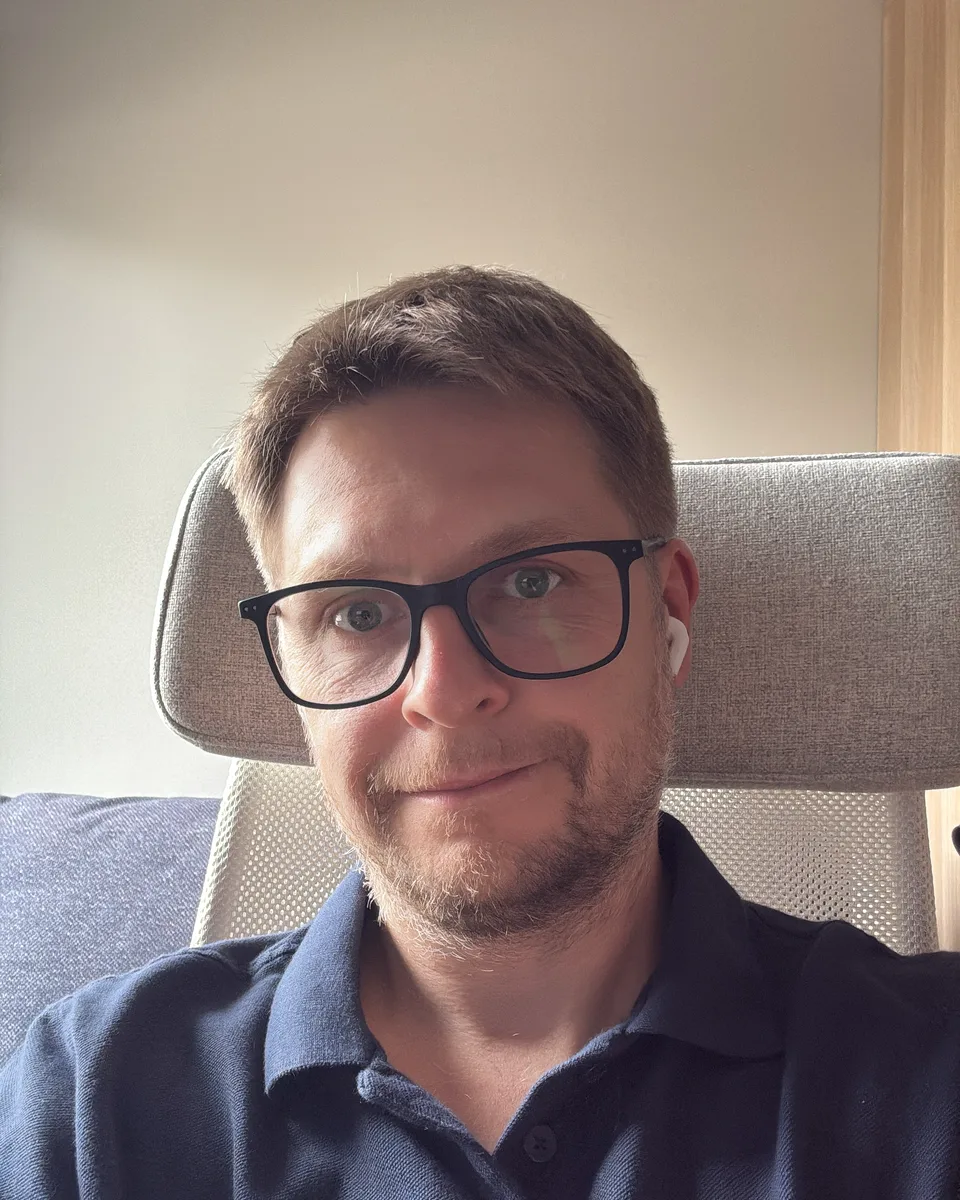
Hi, I'm Szymon. I've been a software developer for many years and I love coming up with and building new solutions. I'm always looking for something to improve, automate and optimise.

I build apps with modern AI tools. That lets me deliver in a week what used to take months, at a price that makes sense for one person, not just a company. But the most important part of the work isn't technical. It's the conversation and understanding what you actually need.

Frequently asked questions

Do I need to be good with technology?

No. You tell me what you need and I handle the rest, including installation and a short walkthrough.

Where will my app run?

It depends on what you need: on your computer (Mac or Windows), in your browser or on your phone. I'll recommend what makes sense and put it in the summary before we start.

Where is my data stored?

Whenever possible, only on your device. If the app needs a server, I'll tell you before we start and explain where the data lives.

Do you build apps for businesses too?

Yes, for small ones: solo businesses, practices, studios, shops. I'm at my best with specific, repetitive tasks that eat your time today.

What if I want changes after a month?

Small changes are covered by a care plan or quoted as a one-off. You always know the price before I start.

How is this different from off-the-shelf software?

Off-the-shelf software is built for millions of people. A personal app is built for you: only the features you use, working the way you work.

How long does it take?

Usually about a week after you approve the summary. Larger projects take longer; the timeline is in the summary.

Do I have to be recorded?

No. Recording helps me not miss anything, but I can take notes instead. Recordings are deleted after handover, at the latest after 60 days.

Let's talk about your app

Send a message or book a 15-minute call, no strings attached. Tell me what's wearing you down, and I'll tell you whether and how an app could help.

Send me a message

Thank you! Your message has arrived. I'll reply as soon as I can.