Work
desktop app (macOS)
Zin
- Problem
- Photography is my hobby. I always wanted to make PDFs from my photos, but putting such a publication together was beyond me.
- What I built
- An app that loads a folder of photos in a moment and proposes a zine layout by itself. All that's left is adding captions and text pages and adjusting the order by hand. Every change shows up instantly.
- Result
- And that's it: the PDF is ready. Plus a print-ready version, a PowerPoint presentation and a YouTube video, all from the same photos.
desktop app (macOS)
PhotoStructureCleaner
- Problem
- For years I've uploaded photos from my camera to Apple's cloud (iCloud). But I never had a folder system I wanted to keep them in. I tried several times and gave up each time.
- What I built
- An app that sorts photos into a tidy folder structure by itself. It also adds location data to photos from a camera that doesn't have that feature.
- Result
- My photo library is finally in order, without any manual work on my part.
desktop app (macOS)
Claude Credits Usage
- Problem
- I work with Claude every day. Limits are counted in 5-hour and weekly windows, and checking them meant remembering to type a command.
- What I built
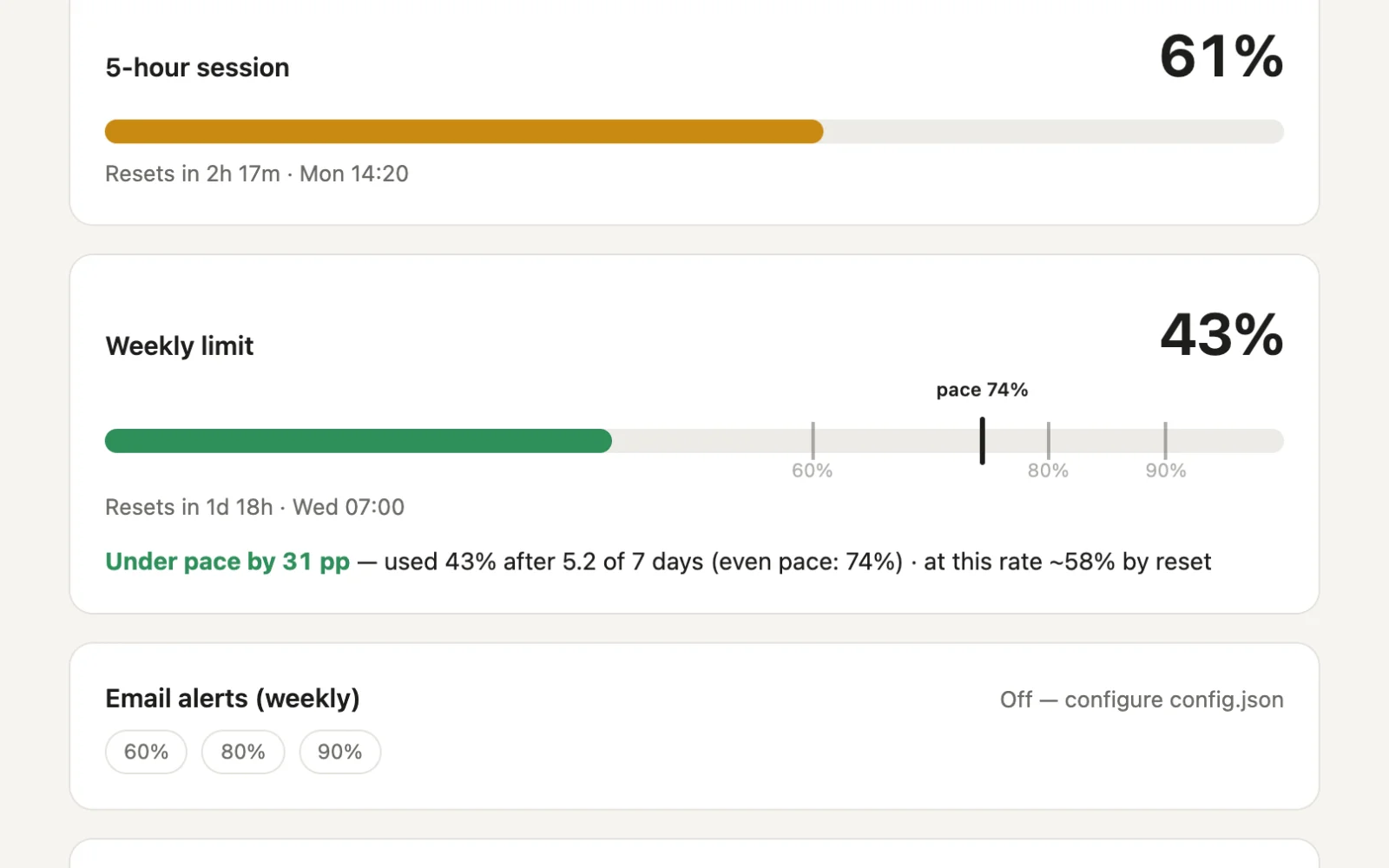
- A small dashboard in the browser that shows usage for the current session and the week, and compares it with how much of the week has passed. When I cross 60, 80 and 90% of the weekly limit, it sends an email.
- Result
- One glance tells me whether I can keep working without rationing.
desktop app (macOS)
Control Panel
- Problem
- My Mac wouldn't go to sleep, forgotten scripts and servers kept running in the background, and packages and AI models filled up the disk. Each of these takes a different terminal command to check.
- What I built
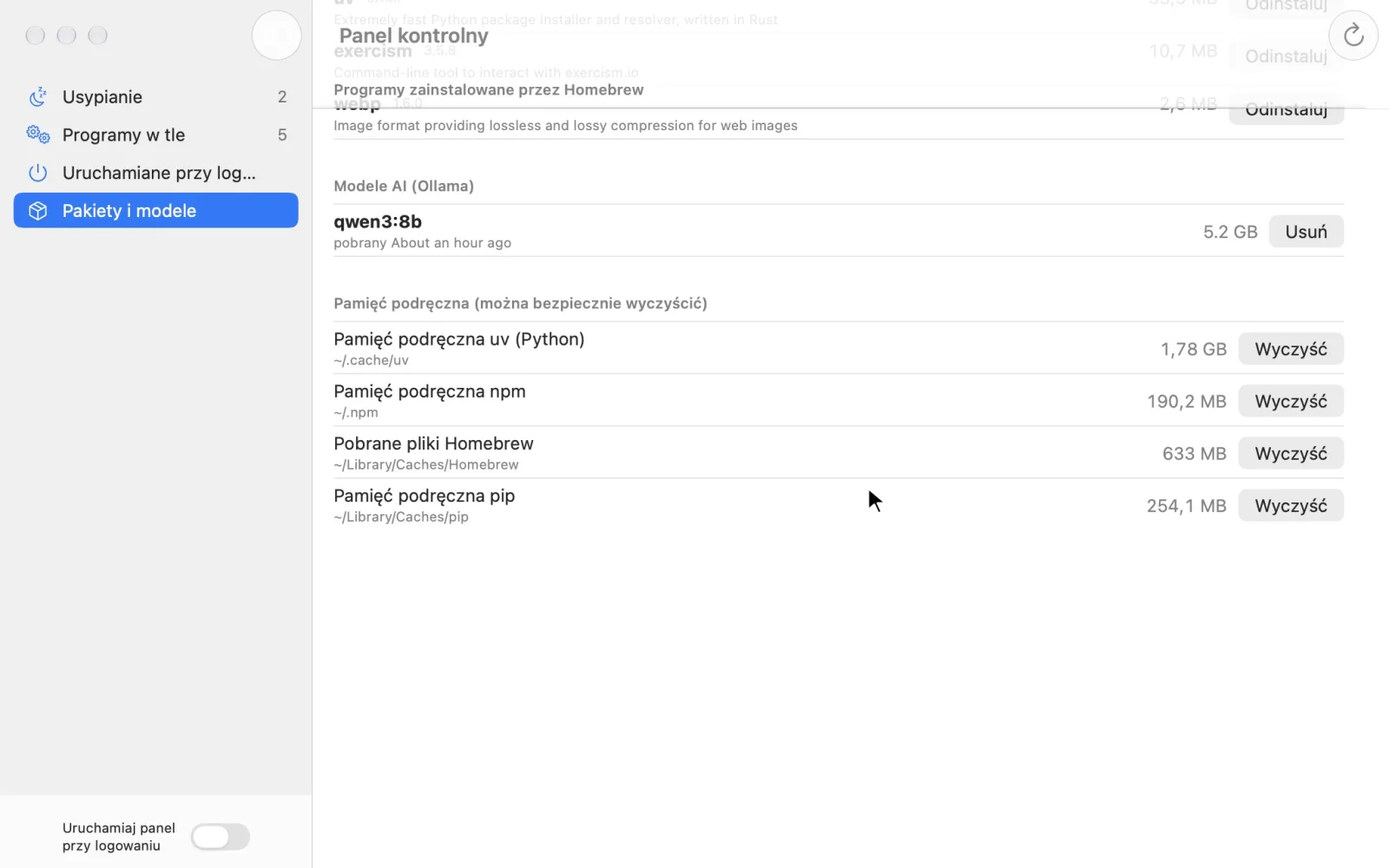
- A macOS app with a menu bar icon. It shows what blocks sleep, which programs run in the background (with ports and folders), what starts at login and how much space packages, AI models and caches take. Everything can be stopped, disabled or removed, always after confirmation.
- Result
- I know what's happening on my Mac and clean it up without the terminal.
desktop app and Chrome extension (macOS)
OLX Search
- Problem
- OLX filters aren't enough: the year, trim or condition are often only in the listing's description. Finding something specific meant opening and reading dozens of listings.
- What I built
- An app with a Chrome extension. I describe my criteria in plain words; an AI model breaks them into weighted requirements and rates every listing in the results: title, price, parameters and the full description. I choose the model: a local one (data never leaves the computer), Claude or Gemini.
- Result
- Every listing shows a match percentage, and the app lists the ones that truly meet my criteria, with the reasoning.
Let's talk about your app
Send a message or book a 15-minute call, no strings attached. Tell me what's wearing you down, and I'll tell you whether and how an app could help.
Send me a message
Thank you! Your message has arrived. I'll reply as soon as I can.
Your message couldn't be sent. Please try again or email me directly at the address below.
Or email: szymon.jedrzejczyk@gmail.com